
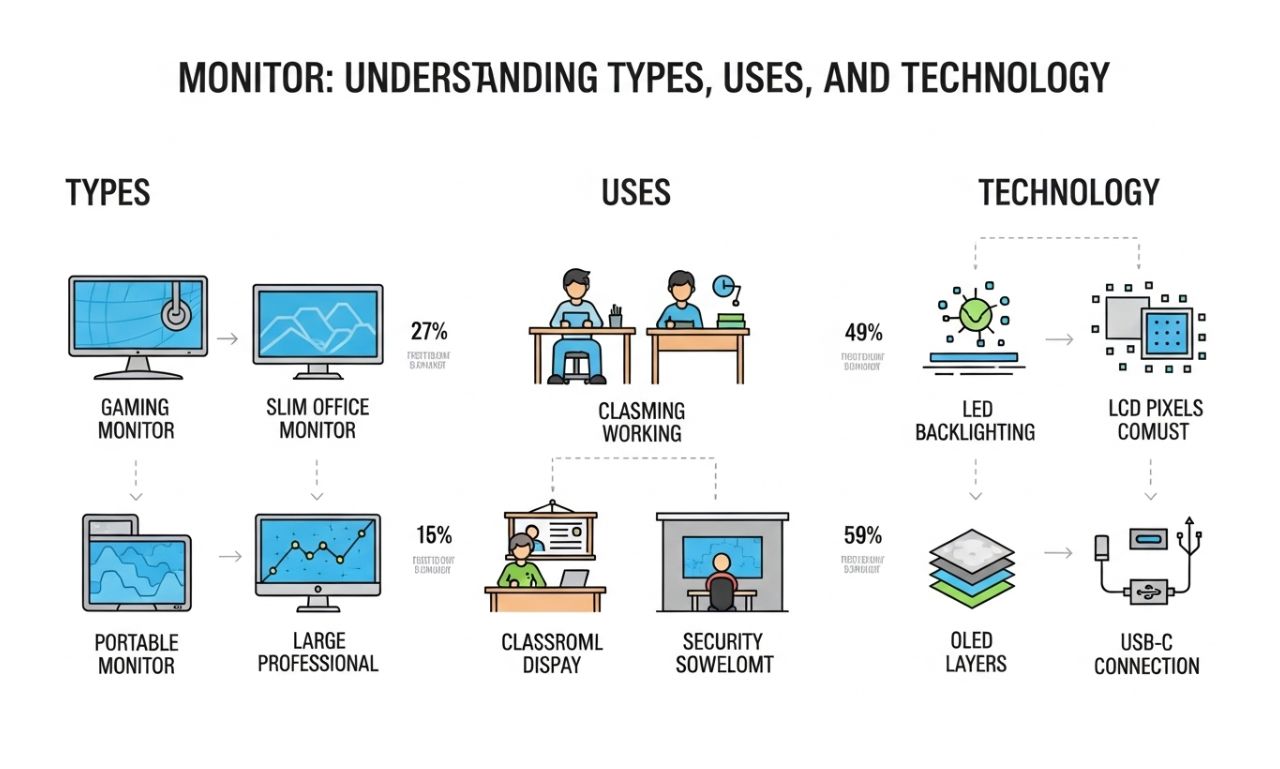
Monitor: Understanding Types, Uses, and Technology
A monitor is an essential device that displays visual output from a computer or other digital sources. It allows users to interact with software, view multimedia, and perform tasks efficiently. Understanding the monitor, its types, and its technological advancements is crucial for professionals, gamers, and everyday users. From simple office use to high-end gaming setups, the monitor is a critical component of modern computing.
History of the Monitor
The concept of the monitor evolved from early cathode-ray tube (CRT) displays, which dominated the 20th century. These bulky devices transformed electrical signals into images, allowing users to view digital data. With the rise of liquid crystal displays (LCDs) and light-emitting diode (LED) technology, monitors became thinner, more energy-efficient, and capable of higher resolutions. Today, monitors range from basic office screens to professional-grade displays for graphic design, video editing, and gaming.
Types of Monitors
CRT Monitors
Cathode-ray tube (CRT) monitors were the first widely available computer displays. They offered:
-
Deep color rendering
-
High refresh rates
-
Durable construction
However, CRT monitors were heavy, consumed more energy, and took up significant desk space, leading to their decline with the introduction of flatpanel technology.
LCD Monitors
Liquid crystal displays (LCDs) use liquid crystals sandwiched between layers of glass and are illuminated by a backlight. LCD monitors are:
-
Lightweight and slim
-
Energy-efficient
-
Available in a variety of sizes and resolutions
LED Monitors
LED monitors are essentially LCDs that use LED backlighting instead of traditional fluorescent lighting. Advantages include:
-
Better contrast and color accuracy
-
Lower power consumption
-
Thinner designs for modern aesthetics
OLED Monitors
Organic light-emitting diode (OLED) monitors offer superior color reproduction and true blacks, as each pixel emits its own light. OLED technology is commonly used in high-end displays for gaming, media production, and professional editing.
Curved and Ultrawide Monitors
Curved monitors provide immersive viewing experiences, while ultrawide monitors offer extended horizontal screen space for multitasking, gaming, or productivity applications.
Key Features to Consider in a Monitor
When selecting a monitor, several features impact performance and usability:
-
Resolution: Determines image clarity. Common resolutions include Full HD (1920×1080), 2K, 4K, and 8K.
-
Refresh Rate: Measured in Hz, higher refresh rates (120Hz, 144Hz, or 240Hz) benefit gaming and motion-intensive applications.
-
Response Time: Faster response times reduce motion blur in videos and games.
-
Panel Type: TN, IPS, and VA panels each offer unique advantages in color accuracy, viewing angles, and speed.
-
Connectivity: HDMI, DisplayPort, USB-C, and legacy VGA ports ensure compatibility with multiple devices.
-
Ergonomics: Adjustable stands, tilt, swivel, and height options improve comfort for long-term use.
Uses of Monitors
Office and Productivity
Monitors are essential for work tasks such as document editing, spreadsheets, video conferencing, and web browsing. Dual or ultrawide setups enhance productivity by allowing multiple applications to be open simultaneously.
Gaming
For gamers, monitors with high refresh rates, low response times, and adaptive sync technologies (G-Sync, FreeSync) provide smoother gameplay anda competitive edge.
Graphic Design and Video Editing
Professional designers require monitors with accurate color reproduction and wide color gamuts. Monitors supporting Adobe RGB or DCI-P3 color spaces are preferred for media production.
Entertainment
Monitors are used to watch movies, stream shows, and enjoy online content. High-resolution monitors with HDR support enhance the visual experience.
Education and Learning
In educational settings, monitors support e-learning, coding practice, digital classrooms, and collaborative projects. Touchscreen monitors add interactivity for learning activities.
Technological Advancements
Monitors continue to evolve with innovations in display technology:
-
HDR (High Dynamic Range): Enhances contrast and color accuracy for realistic visuals.
-
Quantum Dot Displays: Improve color performance in high-end monitors.
-
Gaming-Specific Enhancements: Features like low input lag, adaptive sync, and high refresh rates cater to competitive gaming.
-
Touch and Interactive Displays: Increasingly used in educational and professional environments.
These advancements improve user experience across entertainment, work, and specialized professional applications.
Monitor Maintenance and Longevity
Proper care extends the life of a monitor:
-
Cleaning: Use microfiber cloths and screen-safe solutions to prevent scratches.
-
Ventilation: Avoid overheating by ensuring proper airflow around the device.
-
Power Management: Use sleep mode and energy-saving features to reduce wear.
-
Regular Updates: Firmware updates can enhance performance on some smart monitors.
Taking care of your monitor ensures consistent performance and prolonged usage.
Choosing the Right Monitor
Selecting the best monitor depends on your needs:
-
For Office Work: Prioritize ergonomic design, Full HD resolution, and good panel quality.
-
For Gaming: Focus on high refresh rates, low response times, and adaptive sync technology.
-
For Creative Work: Color accuracy, wide color gamut, and higher resolution are critical.
-
For Entertainment: Large screen size, HDR support, and high resolution enhance viewing experience.
Balancing features, budget, and intended use ensures optimal satisfaction.
Conclusion
A monitor is more than just a screen; it’s a gateway to productivity, entertainment, and creative expression. From its early CRT days to today’s OLED and ultrawide designs, monitors have transformed the way we interact with technology. By understanding monitor types, key features, and uses, users can make informed decisions to enhance work, play, and multimedia experiences. Whether for office use, gaming, professional editing, or home entertainment, the right monitor is central to a satisfying digital experience.